Scroll Stopper is a free Convosight tool that scores a reel or ad on how well its opening is likely to stop the scroll, before you post it. Paste a link or upload a video, and in about a minute you get a score out of 100 and a list of edits to make first. It needs no sign-up.
- Scroll Stopper is free for everyone and needs no sign-up.
- You paste a link or upload a video of up to 3 minutes. A run usually takes 30 to 90 seconds.
- The report gives a score out of 100, sub-scores, an action plan, a scene-by-scene breakdown, and a transcript.
- The score is an AI read of the video itself, not a prediction of reach or how the algorithm will treat it.
- Use it before you post or before you put spend behind an ad, then confirm with real results.
Most reel feedback arrives too late. Instagram reports skip rate only after a reel is live, and by then the views are spent. Scroll Stopper moves part of that feedback to before you post.
This guide covers what Scroll Stopper is, how to use it, what its report shows, and where its limits are. It is free, so the easiest way to follow along is to open the tool with the next video you have in the edit.
What is Scroll Stopper?
Scroll Stopper is a free tool from Convosight that scores a short video, such as a reel or an ad, on how well its opening is likely to stop a viewer from scrolling past, and then lists the edits to make first, so you can fix the video before you post it.
What is a scroll-stopping video? A scroll-stopping video is a short video whose opening gives viewers a reason to stop and watch instead of swiping on. It is the opposite of a skipped video.
It is built for brands, marketers, and creators who make short video for Instagram, TikTok, YouTube Shorts, and Facebook. You give it a video, and Aria, Convosight's AI, watches it frame by frame. It reads what is said, what is shown, and how the video feels.
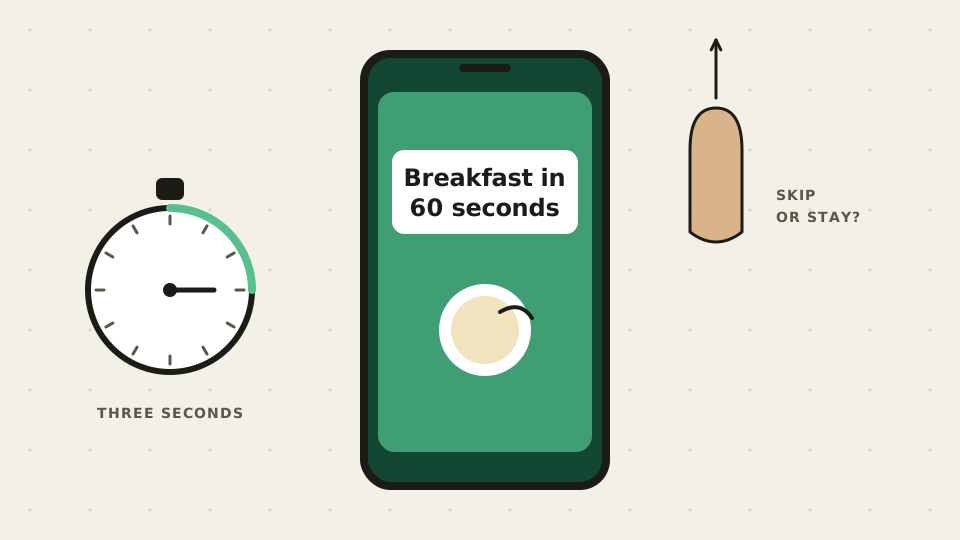
The need is simple. Instagram's skip rate is the percentage of views from people who skipped a reel during its first 3 seconds, and it appears in your Insights after you post (Social Media Today). Scroll Stopper gives you a read on those opening seconds while the video is still editable.
Is Scroll Stopper free?
Yes, Scroll Stopper is free for everyone, with no sign-up, and the tool page lists no daily or per-user limits, so you can paste a link or upload a video, run a test, and read the full report without creating an account first.
That is the whole offer: free, with no sign-up. It is one of Convosight's free tools, which Convosight describes as using the same video and social intelligence that powers Aria.
You can share a report by link. Anyone with the link can view it, and the share options let you include or hide the transcript and the scores.
How do you use Scroll Stopper?
Open the Scroll Stopper page, paste a link or upload a file, optionally choose what the video is for, run the test, and read the report about a minute later: it accepts links from Instagram, TikTok, YouTube Shorts, Facebook, Reddit, and Google Drive, and MP4, MOV, or WebM files up to 3 minutes and 200 MB.
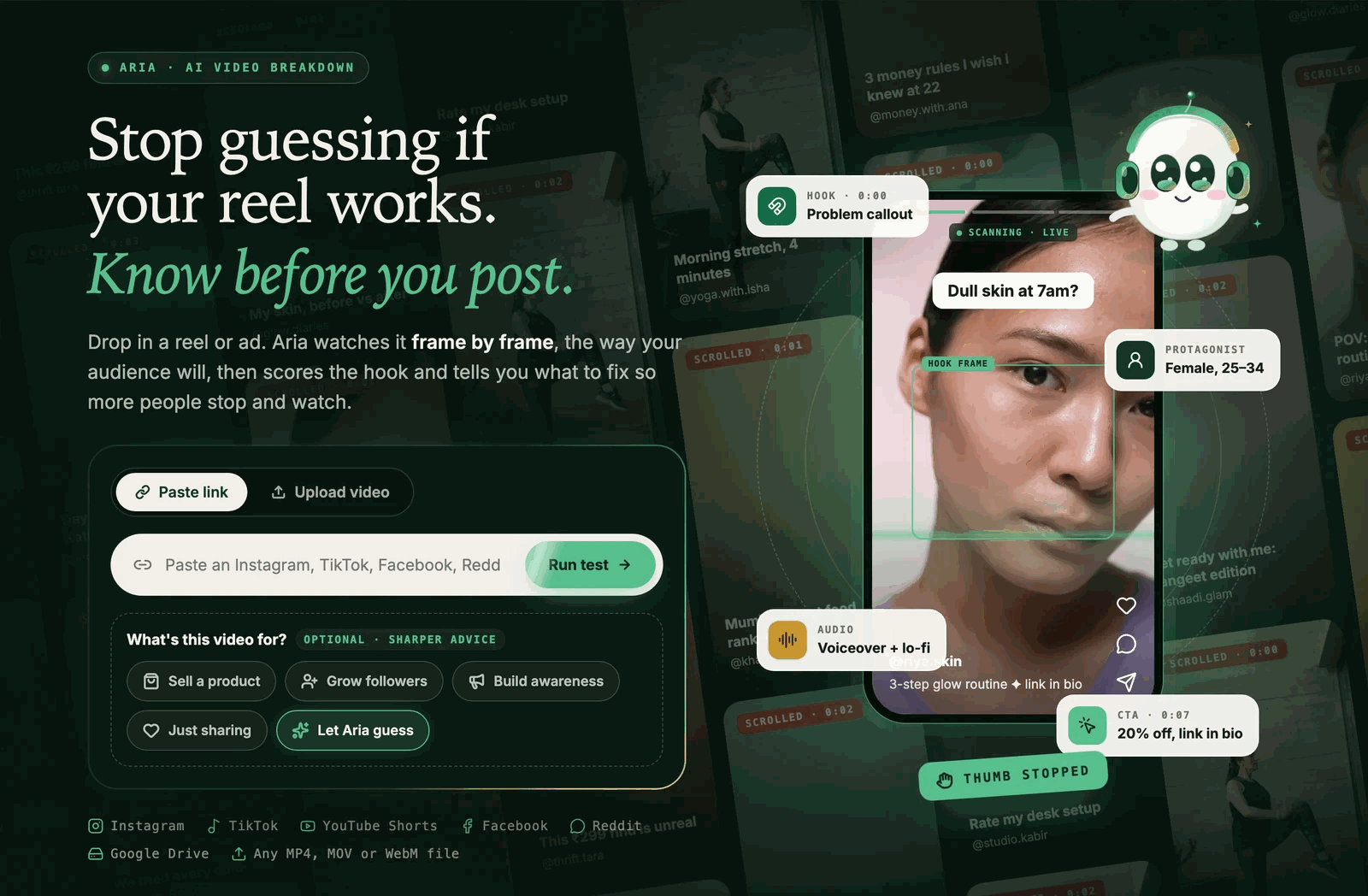
Here are the steps:
- Open the tool. Go to Scroll Stopper. There is nothing to install.
- Add your video. Paste a link, or switch to Upload video and add an MP4, MOV, or WebM file.
- Pick a goal (optional). Choose sell a product, grow followers, build awareness, just sharing, or let Aria guess. The page says this gives sharper advice.
- Run the test. It usually takes 30 to 90 seconds. Keep the tab open while it runs.
- Read the report and edit. Work through the action plan, then run the new cut to see what changed.
Test the cut you plan to post, not a rough draft. If you are choosing between two openings, run both and compare the reports.
What does a Scroll Stopper report show?
A Scroll Stopper report shows an overall score out of 100, separate scores for hook strength, retention, message clarity, and CTA strength, an action plan of edits, a video anatomy timeline, cards for the hook, call to action, audio, on-screen text, products, and who is on camera, plus a full transcript and a scene-by-scene breakdown.
Here is a real shared report for a 17-second Instagram reel about a back support cushion. Aria gave it 74 out of 100 with the label "Could stop the scroll," scoring hook strength at 70, retention at 75, and message clarity at 80. The CTA score is blank because the video has no call to action.
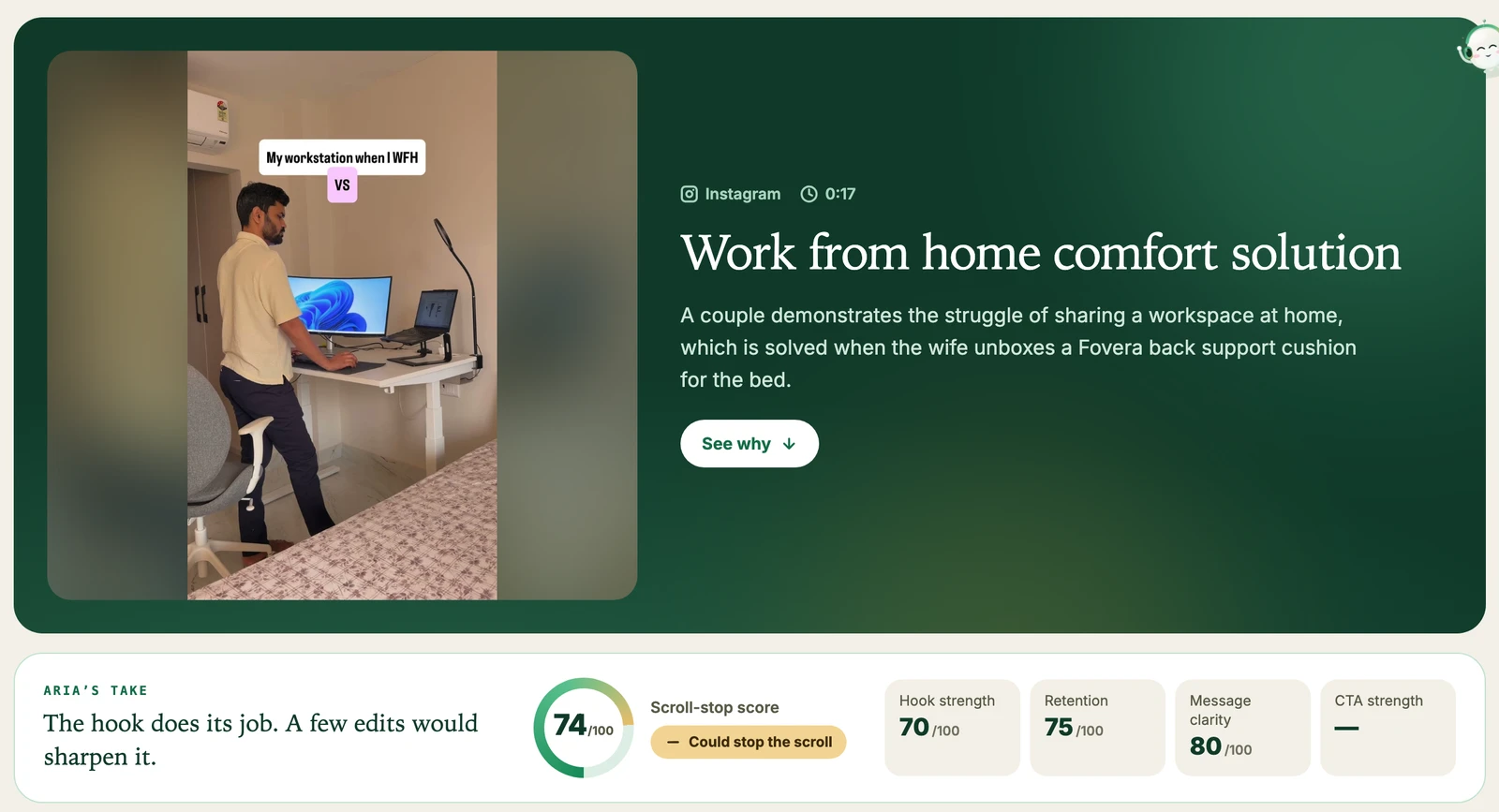
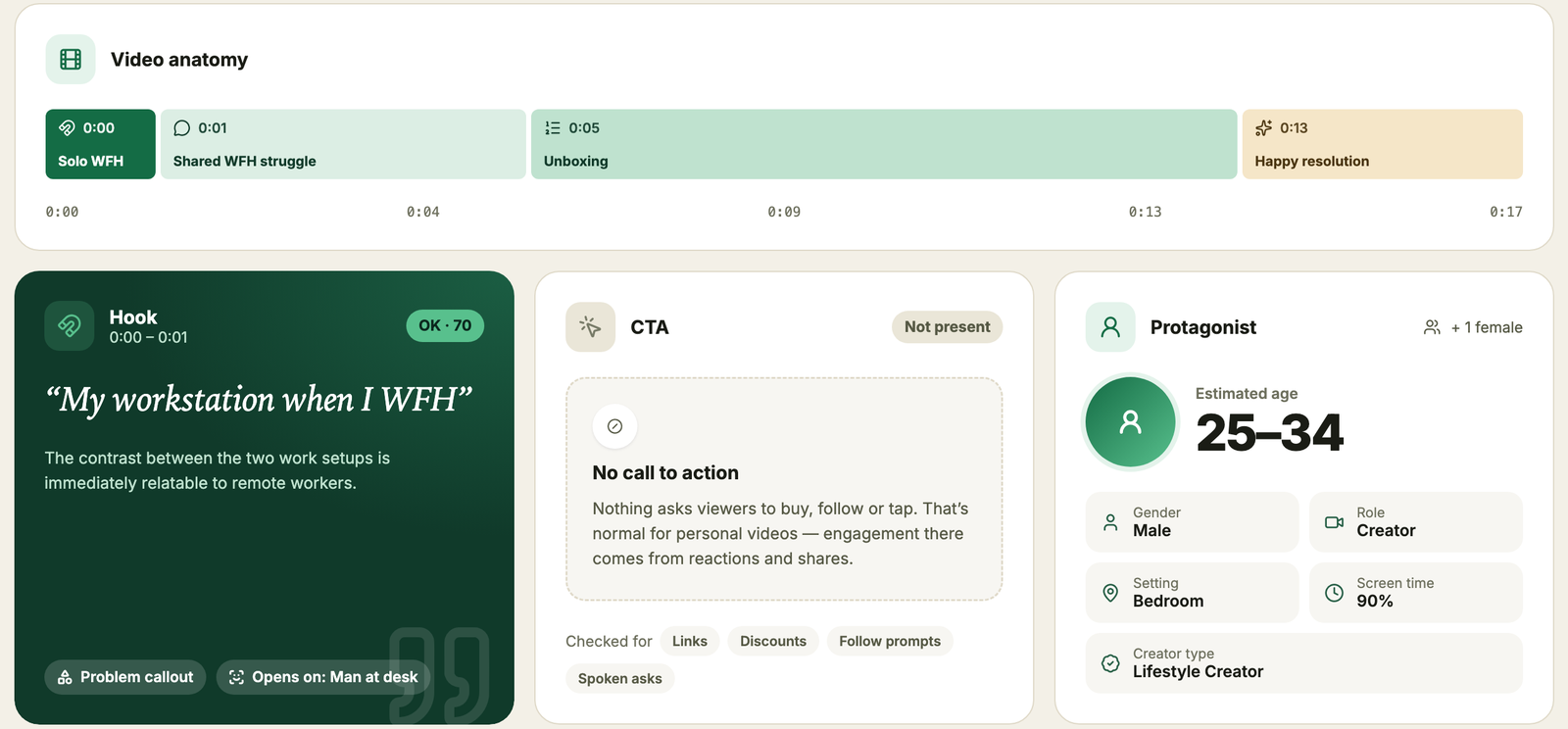
The hook card reads the first second on its own. Here it picked up the text "My workstation when I WFH" over a man at a desk, tagged it a problem callout, and scored it OK at 70. The video anatomy bar splits the 17 seconds into four parts, and the CTA card says plainly that nothing asks viewers to buy, follow, or tap.
The report also lists what works and what does not. In this case, the relatable before-and-after scenario and the clear, sound-off storytelling worked, while the missing call to action and a brand name that shows only on the box did not.
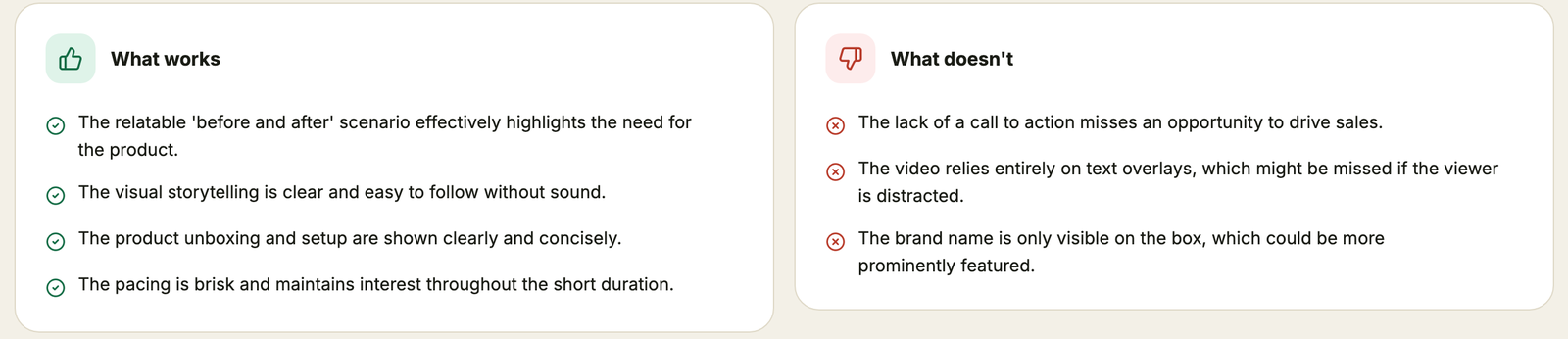
This is one example of what the tool reports, not a measure of how that reel performed.
What kinds of edits does Scroll Stopper suggest?
Scroll Stopper suggests specific, quick edits tied to a timestamp and a score, such as adding an on-screen call to action in the final scene, rewriting the opening text overlay, or naming the product in text when it first appears, so you know what to change and where.
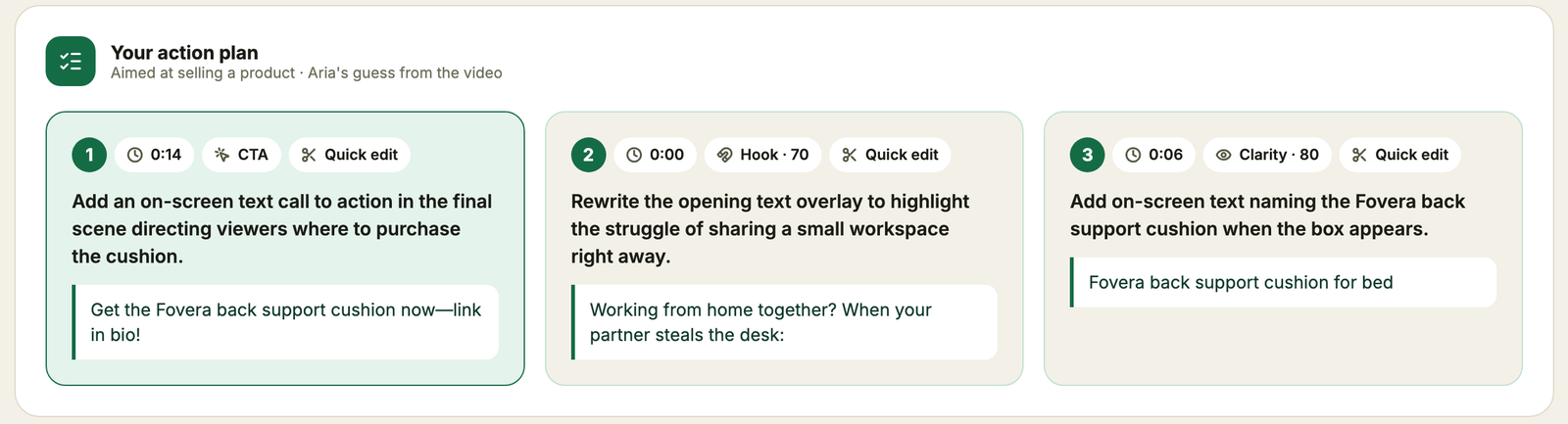
In the report above, the three edits were:
- At 0:14, add a call to action. Put an on-screen text line in the final scene that tells viewers where to buy the cushion.
- At 0:00, rewrite the opening text overlay. Spell out the struggle of sharing a small workspace right away.
- At 0:06, name the product in text. Add a label when the box appears.
The tool's own example read, for a skincare reel, shows the same style: "show the product in the first two seconds," "say the offer out loud, not only on screen," and "trim the pause before the call to action."
Use judgment on each one. The report itself notes that a missing call to action is normal for personal videos, where engagement comes from reactions and shares. A suggestion is a prompt to look at that moment, not an order.
When should you use Scroll Stopper?
Use Scroll Stopper before you post a reel, before you put paid spend behind an ad, when you compare two cuts of the same video, and when you review a draft from a creator or agency, because each is a point where changing the video is still cheap.
Checking drafts is the same idea as a Convosight case study on influencer content quality control, where a skincare brand checked influencer videos frame by frame against 28 quality parameters.
Opening seconds matter for brands, too. Meta's Reels guidance, reported by Social Media Today in December 2025 from research by Toluna, found that reels showing the brand and main message within the first 5 seconds were 1.7x more likely to rank in the top 20% for purchase intent (Social Media Today). A report that flags when your product first appears points at the same moment.
Once the video is live, check real results. Read skip rate and the retention chart in Instagram Insights. For ads, hook rate divides 3-second video plays by impressions, and Motion's glossary calls 20 to 40% "generally solid" while noting that it varies widely by industry and audience (Motion). Treat those as rough guides, and compare against your own recent videos.
What are the limits of Scroll Stopper?
The score is an AI read of the video itself, not a prediction of reach or how the algorithm will treat it, so Scroll Stopper cannot tell you how many people will see a reel, whether your audience cares about the topic, or how a platform will rank it.
The tool page puts it the same way: the scores are an AI read of the creative craft, covering hook, pacing, clarity, and the ask. Keep four limits in mind.
- It reads the video, not the audience. Your followers, your posting history, and ad targeting sit outside what it scores.
- It is an AI read. It can miss context or misjudge a joke, so check each suggestion against what you know.
- It does not replace testing. A real post or a split test with your audience is the final check.
- A shared report is visible to anyone with the link. Share only what you are happy for others to see.
How does Scroll Stopper relate to Aria?
Scroll Stopper runs on Aria, Convosight's AI for reading social video, and the tool page footer says it is made with Aria; where Scroll Stopper reads one video you made, Aria answers questions about consumers using millions of social videos.
Per Convosight's site, Aria sorts what it finds into what people said, showed, felt, and left unsaid, and shows the clips and comments behind each answer. Our guides to AI video analysis and TikTok social listening explain how reading video works at that scale.
If you make short video as part of a brand team, there is more on the Convosight tools page.
Have a reel in the edit right now? Try Scroll Stopper: paste a link or upload the video, and you will have a score and a list of edits in about a minute. It is free, with no sign-up.
FAQ
What is Scroll Stopper?
It is a free Convosight tool that scores a reel or ad on how well its opening is likely to stop the scroll. Aria watches the video frame by frame and returns a score out of 100, sub-scores, and a short list of edits to make first.
Is Scroll Stopper free?
Yes. It is free for everyone, and it needs no sign-up. The tool page lists no daily or per-user limits. You paste a link or upload a video, run the test, and read the whole report.
What videos can I test?
You can paste links from Instagram, TikTok, YouTube Shorts, Facebook, Reddit, or Google Drive, or upload an MP4, MOV, or WebM file. Videos can run up to 3 minutes and 200 MB. You can also say what the video is for, such as selling a product.
How long does a test take?
The tool page says a run usually takes 30 to 90 seconds, and it asks you to keep the tab open while it works. When it finishes, you get the score, the action plan, the scene-by-scene breakdown, and the transcript in one report.
Does the Scroll Stopper score predict views?
No. The score is an AI read of the video itself, not a prediction of reach or how the algorithm will treat it. It covers hook, pacing, clarity, and the ask. Use it to improve the video, and judge results by how real viewers respond.
Can I share a report?
Yes. You can share a report by link, and anyone with the link can view it. The share options let you include or hide the full transcript and the scores. You can also export the report or send the link by email or social.
Is my video private?
The tool page says anyone with a shared link can view a report, but it does not say how long uploaded files are kept. Before you upload unreleased or confidential footage, check the Convosight site for current terms on storage and use.